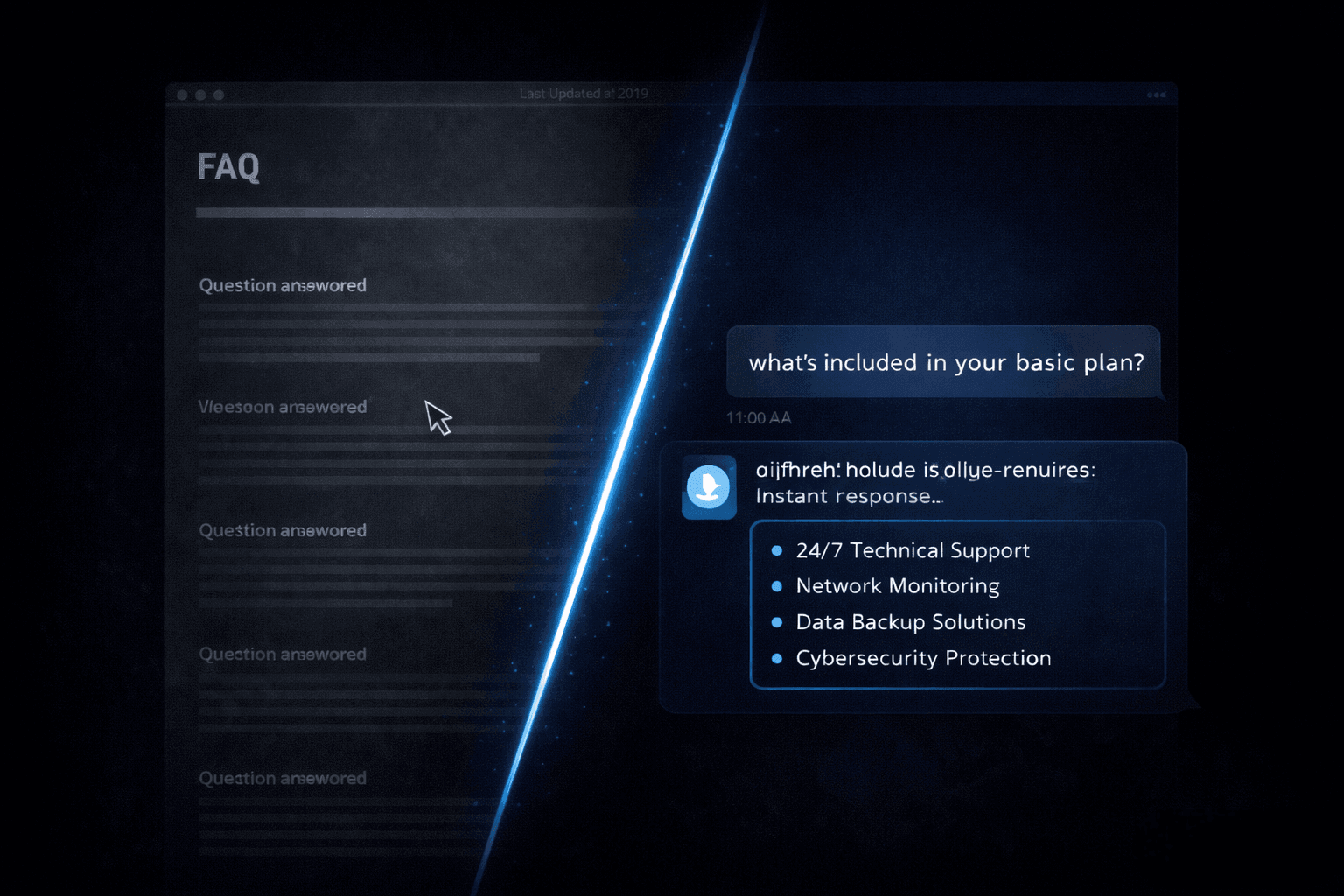
I want you to think about the last time you genuinely read a FAQ page.
Not skimmed it. Not Ctrl+F'd for one specific word. Actually read it — top to bottom, question by question, the way the person who wrote it imagined you would.
If you're struggling to remember, that's the problem.
FAQ pages are one of the oldest fixtures of the web. They were invented when websites were static brochures and there was no better alternative. Someone had to answer common questions, so you put them on a page, added an anchor link at the top, and called it done.
That was 1997. It's not 1997 anymore.
Today, the FAQ page is the digital equivalent of a laminated sheet taped to the office reception desk. Technically the information is there. Practically, nobody uses it the way you intended. And the questions keep coming anyway — by email, by contact form, by chat, by phone — because users don't want to hunt for answers. They want answers delivered to them, in response to the exact question they asked, right now.
This post is about why static FAQ pages structurally fail, and what replacing them with a conversational knowledge base — built in Monology — actually looks like in practice.
Why Nobody Reads Your FAQ Page (It's Not Laziness)
Before we talk about solutions, it's worth understanding the actual mechanism of failure. Because the problem isn't that users are lazy. The problem is that the FAQ page format is architecturally misaligned with how people seek information.
Problem 1: They don't know which question to look for
You wrote your FAQ page from your perspective — the questions you get asked most often, organised in the way that makes sense to you. But users arrive with a specific, contextual question that might not match any of your headings. They scan a few items, don't see their question reflected back at them, and assume the answer isn't there — even when it is, written slightly differently three items down.
Problem 2: The answer is never quite specific enough
FAQ answers are written for the general case. But users have specific situations. "Do you offer discounts?" is a fine FAQ question — but the visitor who's asking is running a 200-person company and wants to know about enterprise pricing, and the FAQ answer says "Contact us for pricing." Which sends them back to the contact form. Which is exactly what the FAQ page was supposed to prevent.
Problem 3: Reading feels like work
Asking a question feels effortless. Reading a page to find the answer to your question feels like effort — even if the page is well-written. This is not a character flaw in your visitors. It's how humans are wired. Conversation is our default mode of information exchange. Text-based self-service is a workaround we tolerate, not one we prefer.
Problem 4: It doesn't scale with your business
Every time your services change, your process changes, or your pricing changes, someone has to remember to update the FAQ page. And nobody does. Or they update half of it. Within six months, a third of your FAQ answers are subtly wrong — and you have no visibility into which questions people are actually asking versus which ones they're not finding answers to.
All four of these problems have the same root cause: the FAQ page is a static document pretending to be a dynamic interaction.
The fix is to make it actually dynamic.
What a Conversational Knowledge Base Does Differently
A conversational knowledge base doesn't replace your FAQ content. It replaces the delivery mechanism for that content.
Instead of a page the user has to navigate, you have a chat interface. The user types their question in their own words. The AI reads it, finds the relevant answer in your knowledge base, and responds — conversationally, instantly, in context.
The same information. Completely different experience.
Here's what changes:
- Users don't have to match their question to your heading — the AI matches for them
- Follow-up questions are natural — "what about for enterprise?" flows as a continuation, not a new search
- Answers can be pulled from multiple documents and synthesised, not just copied from a single FAQ item
- You see what questions people are actually asking, in their own words, via the Conversations log
- Updating the knowledge base is a document upload, not a page edit
Let me show you how to build this specifically in Monology.
Building a Conversational Knowledge Base in Monology
The architecture is simpler than it sounds. At its core, you need three things: an Agent Node connected to your knowledge base, a Start Node that greets visitors and tells the AI how to behave, and a fallback path for questions the knowledge base can't answer. Everything else is refinement.
Here's the workflow structure:
[Start Node]
   Greeting instruction to AI
         ↓
[Agent Node — Knowledge Base]
   Your FAQ content uploaded
   GPT-4o-mini as LLM
   System prompt scoped to your business
         ↓
[Condition Node]
   Did the agent find a confident answer?
      ↓                    ↓
   YES                    NO
      ↓                    ↓
[Static Message]      [Form Node]
  "Anything else?"    Escalation capture
      ↓                    ↓
[End Node]           [Action Node]
                    Email/Slack notify
                          ↓
                      [End Node]
Let me walk through each piece.
Step 1: Build Your Knowledge Base Content First
Before you open Monology, do this work offline. Open a Google Doc and write out every question your business gets asked — not in FAQ format, but as clean, accurate, readable paragraphs. The format matters less than the completeness and accuracy of the content.
Organise it into sections:
- About your services — what you do, what you don't do, who you work with
- Pricing and packages — ranges, what's included, how to get a custom quote
- Process and timeline — how an engagement works, what to expect, typical turnaround
- Technical requirements — tools you use, integrations you support, prerequisites
- Support and after-care — what happens post-delivery, how to get help
- Common objections — "what makes you different", "why not just hire in-house", etc.
Write this content the way a knowledgeable, helpful team member would explain things — not with corporate hedging, not with vague non-answers. The quality of your AI's responses is directly proportional to the quality of what you give it to work with. The Monology docs are explicit about this: the quality of AI responses depends entirely on your data.
Export the document as a PDF. This is your primary knowledge source. You can always add more later.
Step 2: Configure the Start Node
In your Monology workflow, click the Start Node and toggle Auto Reply ON. Write a greeting instruction — remember, this is a system prompt telling the AI how to greet the user, not a static message the user sees verbatim.
For a FAQ-replacement workflow, the greeting instruction should set expectations clearly:
"Greet the visitor warmly and let them know they can ask any question about our services, pricing, process, or team. Mention that you have access to detailed information and can answer most questions right away. Keep the greeting to one or two sentences and invite them to ask whatever's on their mind."
This framing — "you can ask any question" — is the critical difference from a FAQ page. You're not asking them to find their question in a list. You're inviting them to ask in their own words. That single shift removes the friction that causes FAQ pages to fail.
Step 3: Configure the Agent Node — This Is the Core
Add an Agent Node after the Start Node. This is where your knowledge base lives and where the AI actually answers questions.
LLM Credentials
Connect your OpenAI API key. For a FAQ-replacement use case, GPT-4o-mini is the right model — it's fast (responses feel instant in chat), accurate enough for knowledge base retrieval tasks, and costs a fraction of GPT-4o. For a high-volume support chatbot answering hundreds of questions a day, the cost difference is meaningful.
Knowledge Base — The Three Source Types
In the Agent Node's Knowledge Base section, you can upload content in three formats:
- PDF files — the FAQ document you just wrote, your service brochures, your pricing guides, your onboarding documents. PDFs are the fastest way to get a lot of content into the knowledge base at once.
- CSV files — structured tabular data. Useful if you have a product catalogue, a list of supported integrations, a structured comparison of your service tiers, or any information that lives naturally in rows and columns.
- Website links — Monology crawls and indexes the page at the URL you provide. This is powerful for keeping the knowledge base aligned with your live website. If your services page is up to date, link it directly rather than maintaining a separate document.
You're not limited to one source. Upload your FAQ PDF, link your services page, and add a CSV of your pricing tiers — all three feed into the same Agent Node and the AI draws from all of them when answering questions.
System Prompt — Scoping the AI to Your Business
The system prompt is what stops the Agent Node from behaving like a general ChatGPT assistant and makes it behave like a knowledgeable representative of your specific business.
Here's the structure I'd recommend for a FAQ-replacement system prompt:
"You are a knowledgeable assistant for [Business Name]. You help website visitors get accurate answers about our services, pricing, process, and team. Answer questions based strictly on the knowledge base provided — do not make up information or answer from general internet knowledge if it conflicts with the knowledge base. If a question isn't covered in the knowledge base, say so honestly and offer to connect the visitor with a team member. Keep responses concise — two to four sentences unless the question genuinely requires a longer answer. Use markdown formatting for any lists or structured information. Always be warm, direct, and helpful."
Two phrases here are doing critical work:
"Answer based strictly on the knowledge base provided." Without this constraint, an LLM will fill gaps with confident-sounding general knowledge. For a FAQ replacement, confident inaccuracy is worse than admitting uncertainty. This prompt instruction is what keeps the AI on your actual content.
"If a question isn't covered, say so honestly and offer to connect the visitor with a team member." This is your graceful fallback — which connects to the Condition Node in the next step.
Enable the Right Toggles
- Read Chat History — ON. Without this, every message is treated in isolation. The user can't say "what about for the enterprise plan?" as a follow-up to "what's your pricing?" — the AI won't know what "that" refers to. Conversation memory is essential for a FAQ chatbot to feel natural.
- Add History to Messages — ON. Passes that history into the LLM prompt so each response is contextually aware of what's already been discussed.
- Use Markdown — ON. FAQ answers often benefit from bullet points and structured formatting. Markdown lets the AI present information cleanly rather than in a wall of text.
- Append Previous Node Response — ON if you have a multi-agent setup where context from other nodes is relevant. For a simple FAQ workflow, this can stay OFF.
Response Model — Track Confidence
Add a structured output field to the Response Model:
- Field name:
answer_found - Type:
boolean
Instruct the AI in your system prompt to set this field to true when it has a confident answer from the knowledge base, and false when the question isn't covered. The Condition Node will read this field to decide whether to continue the conversation or route to the escalation path.
Step 4: The Condition Node — Handling What the Knowledge Base Can't
Add a Condition Node after the Agent Node:
- Field:
answer_found - Operator:
equals - Value:
true
On the TRUE path — the AI found a confident answer — add a Static Message Node that prompts the conversation to continue:
"Hope that helps! Feel free to ask anything else — I'm here to help. 😊"
Then loop back to the Agent Node. This creates a conversational loop where the user can keep asking questions naturally — just like they would if they were chatting with a team member — without the workflow ending after the first answer.
On the FALSE path — the question isn't in the knowledge base — don't leave the user stranded. Add a Static Message Node that's honest and helpful:
"That's a great question — it's a bit outside what I have detailed information on right now. Let me make sure the right person follows up with you directly."
Then immediately add a Form Node to capture their contact details, followed by an Action Node that fires a Slack or email notification to your team: "Unanswered question from website visitor — here's what they asked and how to reach them."
This is the part most FAQ-replacement chatbots get wrong. They either hallucinate an answer (bad) or drop the user with "I don't know" (also bad). The correct path is: honest acknowledgment + immediate escalation capture + human follow-up. The user gets a better experience than they would from a FAQ page that also didn't have the answer, and you get a signal about what's missing from your knowledge base.
Step 5: The Static Message Node — Consistency for Confirmations
Wherever you need consistent, predictable messages — the pre-form instruction, the post-form confirmation, the "anything else?" prompt — use Static Message Nodes rather than Agent Nodes.
Here's why this matters specifically for a FAQ replacement: LLM responses have natural variability. The Agent Node might phrase the same confirmation slightly differently each time — sometimes more verbose, sometimes more terse. For answers to questions, that variability is fine and even desirable (it feels more human). For confirmations and system messages, you want exact consistency.
Static Message Nodes are also instant and consume no LLM tokens. Use them for anything that doesn't need AI intelligence — transitions, confirmations, instructions, goodbyes. Save your Agent Node for the work only AI can do: reading and responding to user questions from your knowledge base.
Dynamic variables work in Static Message Nodes too. Your post-form confirmation can read:
"Thanks, {{form.name}} — we've got your question and someone will follow up at {{form.email}} within a few hours. In the meantime, feel free to ask anything else here and I'll do my best to help."
Personalised, consistent, instant, and costs nothing to deliver.
Step 6: Monitoring What People Actually Ask
Here's the part that turns a FAQ replacement from a static improvement into a living system.
Every conversation that flows through your Monology workflow is logged in the Conversations section — complete message history, the nodes the conversation passed through, form submissions, and rich context metadata: device type, browser, operating system, location city and country, referrer URL, conversation duration, and message counts.
Open the Conversations log after your first week of running the chatbot and read through what people actually asked. Not what you assumed they'd ask. What they actually typed, in their own words.
You will find things that surprise you:
- Questions you never anticipated that reveal customer confusion about how your service works
- Questions the AI answered incorrectly because your knowledge base had a gap or an ambiguity
- Questions that hit the FALSE path (answer not found) and should be added to your knowledge base
- Phrasing patterns — the specific words your customers use — that should inform how you write your marketing copy
The Dashboard gives you aggregate visibility: total conversations, total messages, form submissions, and performance by workflow. Use the peak hours data to understand when your visitors are most active — this is information a static FAQ page never gave you and never could.
This feedback loop is the structural advantage of a conversational knowledge base over a static page. A FAQ page gives you no signal about whether it's working. A Monology workflow tells you exactly what's working, what isn't, and what's missing — every single day.
What to Do With Your FAQ Page
You don't have to delete it.
Keep it as an SEO asset — FAQ pages with structured markup can rank for long-tail question searches in Google. Let it serve the small segment of users who genuinely prefer scanning a document over asking a question.
But stop treating it as your primary support mechanism. Stop putting it behind your "Get Answers" CTA. Stop sending users there when they hit your contact page.
Add the Monology widget to your website. Put it on your FAQ page too — so users who land there from search have an immediate alternative to the document. Let them ask. Let the AI answer. Let the experience speak for itself.
Within a week, you'll see the Conversations log filling up with questions you'd never have thought to add to your FAQ. Within a month, your knowledge base will be meaningfully better than it was at launch — because you're updating it based on what people actually ask, not what you assumed they'd ask.
That's the difference between a document that sits there and a system that learns.
The Practical Payoff
Let me be concrete about what this actually changes for a typical small service business.
If your team currently spends two hours a week answering FAQ-style emails and messages — questions about pricing, process, timelines, what's included — a well-configured Monology knowledge base chatbot handles the majority of those questions automatically. The ones it can't handle get captured via the escalation form with enough context that your reply takes a minute rather than five.
That's not a small saving. Two hours a week is over 100 hours a year. At any reasonable hourly rate for your time, the math is straightforward.
More importantly, your visitors get answers immediately — at 9 PM, on a Sunday, during a holiday — not when you get around to checking email. And the visitors who can't get their question answered via the knowledge base are escalated gracefully, with their contact details already captured, instead of abandoned at a page that didn't have what they needed.
The FAQ page was the best tool available for answering questions at scale in 1997.
It's 2026. The tool has changed.
Start your 11-day free trial at monology.io — no credit card required. Upload your first knowledge base document and have a conversational FAQ chatbot live on your website today.