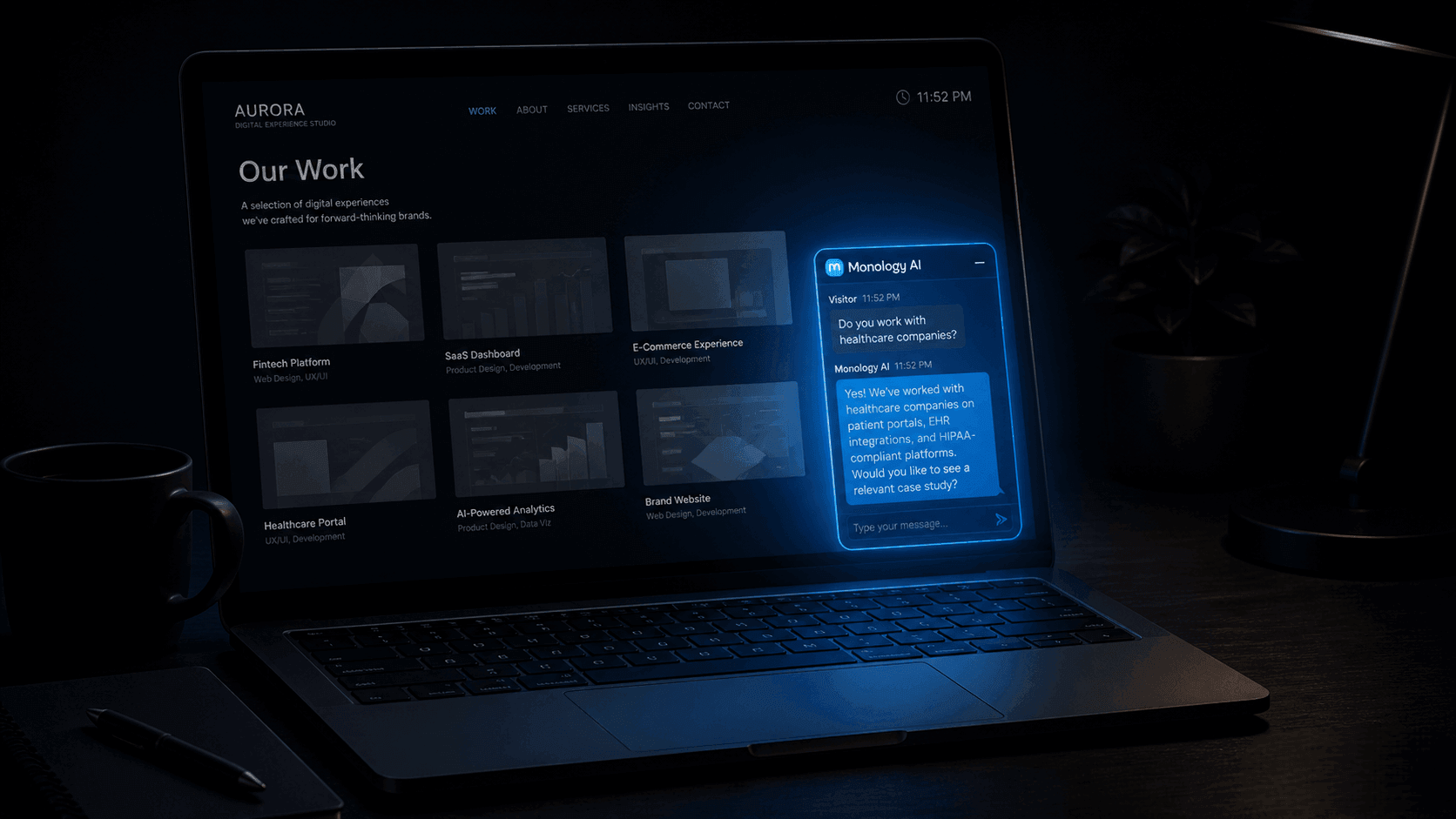
Let me tell you about the last time I hired a freelancer.
I found three candidates through referrals. All three had solid portfolios. All three had relevant experience. On paper, the decision should have been difficult.
It wasn't.
The first one had a website with a contact form. I submitted it at 6:45 PM on a Thursday. Got an auto-reply. Heard nothing until Tuesday morning — four days later.
The second had a website with a chat widget. I opened it, typed a quick message asking about availability and rough pricing. Got an instant, intelligent response. Answered my two questions. Offered to book a call. I booked for Friday morning.
The third I never even reached out to. By the time I would have, I'd already had a great conversation with the second and had a call scheduled.
First person's portfolio? I barely looked at it. They never got the chance to show me their work because the first experience I had with their business — the one that happened before I'd seen a single case study — was four days of silence.
The one thing clients notice before they read your portfolio is how fast — and how well — your website responds when they reach out.
Not your design. Not your case study structure. Not your testimonials. Your response.
Why Response Speed Is a First Impression — Not a Follow-Up Detail
There's a tendency among freelancers and consultants to think of response time as a follow-up problem. You get the inquiry, you respond well, that's what matters.
But the inquiry and the response aren't separate events in the client's experience. They're one continuous moment — and the gap between them is the first data point your potential client has about what working with you will feel like.
When a client reaches out and hears nothing for hours — or days — they don't think "they must be busy." They think: is this how they'll respond when I have a problem mid-project? Is this how responsive they'll be when I need a revision? Is this what communication will look like for the next three months?
Response speed signals professionalism, reliability, and respect for the client's time — before any work has been shown, before any conversation has happened, before any trust has been built. It's the first impression, and first impressions are disproportionately sticky.
Research on B2B lead response consistently shows that the probability of qualifying a lead drops dramatically with every hour of delay. The numbers vary by study, but the direction is always the same: fast wins. And in professional services, where the client is choosing a person as much as a product, "fast" doesn't just mean competitive advantage. It means "I feel seen and valued before we've even spoken."
The Problem Isn't Effort — It's Availability
Here's the thing: most freelancers and consultants who respond slowly aren't lazy or disorganised. They're just human. They're working. They're in a client call. They're asleep. They're in a different timezone from the person reaching out.
The problem isn't that you don't want to respond quickly. The problem is that your website — your primary marketing asset, the thing that's open 24 hours a day and indexed by Google around the clock — has no mechanism to respond at all when you're not personally watching it.
A contact form submits into a void. An email address sends into an inbox you check twice a day. A "book a call" button works — but only if the client is patient enough to navigate to it, find a slot, and trust that someone will actually show up.
None of these give the client the one thing they actually want in the moment they reach out: an immediate signal that someone received their message and gives a damn.
The fix isn't to be online more. The fix is to build a system that responds on your behalf — intelligently, instantly, and in a way that reflects well on you — whenever a visitor reaches out, whether it's 2 PM on a Tuesday or 11 PM on a Sunday.
That system is a Monology AI workflow, deployed as a chat widget on your website.
What "Responding Well" Actually Means Before the Portfolio
Instant response is the baseline. But the quality of that first response matters as much as the speed.
Consider the difference between these two first experiences:
Experience A: Client lands on your website, opens a chat widget, types "Hi, I'm looking for a UX designer for a SaaS product — are you available?" Widget says: "Thanks for reaching out! We'll get back to you soon." Client closes the tab.
Experience B: Same client. Same message. Widget responds within seconds: "Hi! Yes, I work with SaaS teams. Can I ask — are you looking for a full end-to-end engagement or help with a specific phase like design system or user research? That'll help me give you a more useful answer." Client engages. Conversation continues. Questions get answered. A call gets booked.
The difference between A and B isn't technology — both are automated. The difference is whether the automated response is a wall or a conversation.
A Monology AI workflow produces Experience B. Here's exactly how to build it.
Building the First Impression Workflow
The goal is straightforward: when a potential client reaches out through your website, they should get an instant, intelligent, personalised response that answers their immediate question and naturally moves them toward a conversation or a booked call. No waiting. No generic auto-reply. No "we'll be in touch."
Here's the workflow architecture:
[Start Node]
   Auto Reply ON — AI greeting instruction
         ↓
[Agent Node — Intent Classifier + Knowledge Base]
   Understands visitor type and question
   Responds from your actual service info
         ↓
[Condition Node]
   Is this a potential client?
      ↓                    ↓
   YES                    NO
      ↓                    ↓
[Form Node]         [Agent Node]
  Book / qualify     Answer question
      ↓                    ↓
[Action Node]          [End Node]
  Notify you
      ↓
[Static Message]
  Personalised confirmation
      ↓
[End Node]
Let me walk through each piece specifically for a freelancer or consultant context.
Step 1: The Start Node — Your First Words Matter
In your Monology workflow, the Start Node with Auto Reply ON means your website reaches out to the visitor the moment they open the chat — without waiting for them to type first.
The greeting instruction you write here is a system prompt — you're telling the AI what kind of opening message to generate, not writing a fixed string. This matters because a generated greeting feels natural and warm rather than canned and robotic.
For a freelancer or consultant, write an instruction like this:
"Greet the visitor warmly in a friendly, personal tone — not corporate. Let them know they're talking to an assistant for [Your Name], a [your role — UX designer / developer / consultant]. Mention you can help with questions about services, availability, or working together. Ask what brings them here today. Keep it to two sentences maximum and sound like a real person, not a bot."
Two things this instruction does deliberately:
It humanises the AI. Saying "an assistant for [Your Name]" is honest — the client knows they're not talking directly to you — but it frames the interaction as an extension of you, not a faceless corporate system. That framing matters for a personal services business where the client is hiring you as an individual.
It opens a conversation, not a menu. "What brings you here today?" is an invitation to type naturally. Clients who arrive with a specific question can ask it immediately. Clients who are still browsing can say so. Neither has to navigate a list of options.
Step 2: The Agent Node — Where Your Website Becomes Knowledgeable
The Agent Node is where the AI actually processes the client's message and responds — drawing from your knowledge base, using the Intent Classifier tool to understand what they want, and producing a structured output for downstream routing.
Knowledge Base — Your Services, In Your Words
Before configuring the Agent Node, write a clear, comprehensive document about your work. Not a portfolio — a knowledge document. Think of it as briefing a very capable assistant about everything they'd need to know to represent you well in a first conversation.
Cover:
- What you do — your services, specialisations, the kinds of problems you solve
- Who you work with — your ideal client, industries, company sizes, project types you enjoy
- How you work — your process, typical timeline from enquiry to kickoff, what a project looks like
- Pricing context — not necessarily exact numbers, but ranges, what affects pricing, how to get a quote
- Availability — how booked you typically are, how far in advance to reach out, what your capacity looks like
- Common questions — what past clients have asked most often
Export this as a PDF and upload it to the Agent Node's knowledge base. Monology also accepts CSV files for structured data and website URLs — if your services page is current and well-written, link it directly rather than duplicating the content.
The quality of AI responses depends entirely on the quality of what you give it. A thorough, honest, well-written document produces an AI that sounds like you. A sparse, vague document produces an AI that hedges and deflects. Spend the hour writing it properly.
The IT Services Intent Classifier Tool
Enable this in the Tools section of the Agent Node. Even if you're not an IT company, the Requirement Submission and Job Application Submission intents are directly relevant — they tell the workflow whether this visitor is a potential client (route to qualification) or a job seeker (route to a different path). With 95% accuracy and no LLM token cost, it's the most efficient way to make this routing decision.
System Prompt — Sounding Like You
This is where a freelancer or consultant workflow differs most from a corporate one. Write a system prompt that captures your actual voice and values:
"You are a helpful assistant representing [Your Name], a [freelance UX designer / full-stack developer / brand consultant]. You help potential clients understand [Your Name]'s services, working style, and availability. Answer questions based on the knowledge base provided. Be warm, direct, and conversational — avoid corporate language entirely. If someone seems like a good fit for a project, gently move the conversation toward scheduling a quick call. If you don't have a confident answer to something, say so honestly and offer to have [Your Name] follow up personally."
The "avoid corporate language entirely" line is load-bearing. A freelancer who sounds like a corporation in their first interaction has already undermined the reason clients hire freelancers — the personal relationship, the direct communication, the sense of working with a person rather than a vendor.
Response Model
Add a structured field:
- Field name:
visitor_intent - Type:
string
Enable Read Chat History and Add History to Messages — essential for follow-up questions to feel like part of the same conversation rather than isolated exchanges. Enable Use Markdown so the AI can format lists and structured information cleanly.
Step 3: The Condition Node — Routing Clients to the Right Next Step
After the Agent Node responds, the Condition Node evaluates visitor_intent:
- Requirement Submission → potential client — route to the qualification form
- Job Application Submission → job seeker — route to a Static Message Node with appropriate next steps
- General Query → already handled by the Agent Node's knowledge base response — loop back for follow-up questions
For a personal services business, the OR operator is useful here. Set the TRUE condition as:
visitor_intent equals "Requirement Submission" OR visitor_intent equals "Contact Details"
Both intents signal someone who wants to hire you or get your contact information — treat them the same way and move them toward the qualification step.
Step 4: The Form Node — Capturing the Right Information
For a freelancer or consultant, the qualification form should be short and feel like part of a conversation — not a bureaucratic intake process. Four fields maximum:
- Name — Text, required
- Email — Email, required
- Tell me about the project — Text area, required
- Timeline — when do you need to start? — Text or dropdown, optional
Notice what's not on this form: budget. Asking for budget upfront in a first-impression context often feels presumptuous — it signals that you're screening them rather than wanting to understand their project. Budget is better handled in the call. The form's job is to capture enough context for you to respond intelligently, not to pre-qualify everything before you've spoken.
Add a Static Message Node before the form to frame it warmly:
"Love it — let me grab a couple of details so I can give you a proper response. This takes about 60 seconds."
"Proper response" signals that what's coming next is personalised, not automated. Even though it is partially automated, the promise is true — you will respond personally after reviewing the form. The framing sets accurate expectations.
Step 5: The Action Node — Making Sure You Actually Know
After the form submits, the Action Node fires your notification. For a solo freelancer, a Slack message is ideal — it's immediate, personal, and arrives wherever you are:
🔔 New project enquiry — {{form.name}}

Email: {{form.email}}
Project: {{form.tell_me_about_the_project}}
Timeline: {{form.timeline}}
Intent: {{agent.visitor_intent}}

Submitted: just now. Respond within the hour for best first impression.
The "respond within the hour for best first impression" note at the bottom is for you — a reminder that the automated system has done its job well, and now the human follow-up is what closes the gap between a good first impression and a booked client.
If you prefer email notifications, the Action Node supports SMTP, SendGrid, Mailgun, and AWS SES. Use the same dynamic variable syntax — {{form.name}}, {{form.email}} — to populate the email body. Some freelancers run both: Slack for immediate awareness, email for a reference they can reply to directly.
Toggle Continue on Error ON. If your Slack workspace has a temporary issue, the visitor's experience shouldn't break — their form data is already saved in Monology's Conversations section regardless.
Step 6: The Static Message Node — Closing the First Impression Loop
This final message is the last thing the potential client sees before they close the chat. It's also the last impression before they decide whether to wait for your follow-up or start looking elsewhere.
Write it like you would if you were personally thanking someone for reaching out:
"Thanks, {{form.name}} — I've received your message and I'm looking forward to reading about your project. I'll be in touch at {{form.email}} personally — usually within a few hours. In the meantime, feel free to browse my work at [portfolio link]. Talk soon! 🙏"
Three things this message does that matter:
It uses their name. {{form.name}} pulls directly from the form they just filled. Personalised confirmation builds trust that the submission worked and was received by a person, not a black hole.
It sets a specific expectation. "Usually within a few hours" is honest and concrete. Vague promises ("we'll be in touch soon") erode trust. A specific timeframe — even a range — gives the client something to anchor to.
It sends them to your portfolio. You've created a great first experience. Now direct them to your work. The client who arrived wanting to quickly check your availability has already been impressed by your responsiveness — they're in a much better frame of mind to evaluate your portfolio now than they were 3 minutes ago.
Deploying the Widget — Making It Yours
Once the workflow is built, click the End Node to create your Widget directly from the workflow builder — it automatically attaches to the current workflow.
Appearance settings are worth spending time on for a personal services business. Your widget is a literal extension of your brand. Configure:
- Primary colour — match your brand colour exactly. If you have a design-forward portfolio, a mismatched widget colour is a small but jarring inconsistency.
- Dark or light mode — match your site's theme. A dark-mode widget on a light-mode portfolio site looks unfinished.
- Header title and logo — use your name or "Chat with [Your Name]" rather than a generic "Chat with us." Personal services businesses should feel personal.
- Launcher button text — "Let's talk" or "Ask me anything" performs better than "Chat" or "Support" for a freelancer context. The word "support" implies you're running a help desk, not a personal practice.
- Launcher animation — a subtle Pulse or Bounce animation draws the eye without being aggressive. Use one; don't use three.
Test everything in Live Preview before going live — including on mobile. A significant portion of your visitors will be on their phone, and a widget that looks great on desktop but is awkward on mobile creates exactly the kind of friction you're trying to eliminate.
Embedding on Your Website
For most portfolio sites, vanilla JavaScript is the simplest option. Paste before the closing </body> tag:
<script src="https://your-subdomain.monology.io/chat-widget.js"></script>
<script>
  const widget = initMonologyWidget({
    containerId: 'your-widget-url-id',
    urlId: 'your-widget-url-id'
  });
</script>
One important note from the Monology docs: your site should not have CSS directly applied to semantic HTML elements like p, a, ul, li, or heading tags. Global CSS on these elements conflicts with the widget's internal styles. If your portfolio uses element selectors in its CSS, scope them to classes instead — .portfolio-text p rather than bare p — before deploying the widget.
If you're on a React or Next.js portfolio (common for developer freelancers), the official npm package is the better route:
npm install @monology-io/chat-widgetFor Next.js App Router, use dynamic import with SSR disabled — the widget is a client-side component and needs to be rendered in the browser, not on the server:
"use client";
import dynamic from "next/dynamic";
const RenderWidget = dynamic(
  () => import("@monology-io/chat-widget").then((mod) => mod.RenderWidget),
  { ssr: false }
);

export default function App() {
  return <RenderWidget urlId='your-widget-url-id' identity={null} />;
}
No Website Yet? Use the Share Chat Link.
If your portfolio is still in progress, or you primarily share your work as a PDF or through LinkedIn, Monology's Share Chat Link feature gives you a permanent URL that opens your chatbot in a full-page interface — no website required.
Put it in your email signature. Add it to your LinkedIn profile as your website URL. Include it in proposals and pitch decks. Anywhere a potential client might want to reach out, drop the link — and the workflow handles the conversation from there.
For time-limited situations — a specific conference, a limited-time availability window, a project pitch — generate a temporary link with a configurable expiry. The link dies when the window closes. Your permanent link stays as your evergreen contact point.
What Changes When You Build This
The most immediate change is practical: you stop losing potential clients to the hours you're not watching your inbox. Every enquiry gets an instant, intelligent response — at noon, at midnight, on a holiday, in a different timezone — and you wake up to a notification with everything you need to follow up well.
But there's a second change that's harder to quantify and more important in the long run: the frame through which potential clients evaluate your work shifts.
When a client reaches out and experiences a thoughtful, immediate, personalised response — before they've seen your portfolio, before they've read your case studies, before they've looked at a single piece of your work — they arrive at your portfolio primed. They're already impressed. They already feel respected. They're already leaning toward yes.
Your portfolio doesn't have to overcome a poor first impression. It just has to confirm what the client already suspects: that you're professional, capable, and worth hiring.
The work you put into your portfolio matters enormously. But it matters most to clients who got a great first impression before they looked at it.
Build the system that delivers that impression — automatically, every time, regardless of when they arrive.
Start your free 11-day trial at monology.io — no credit card required. Have your first-impression workflow live before your next potential client reaches out.